

Agents
The agents list
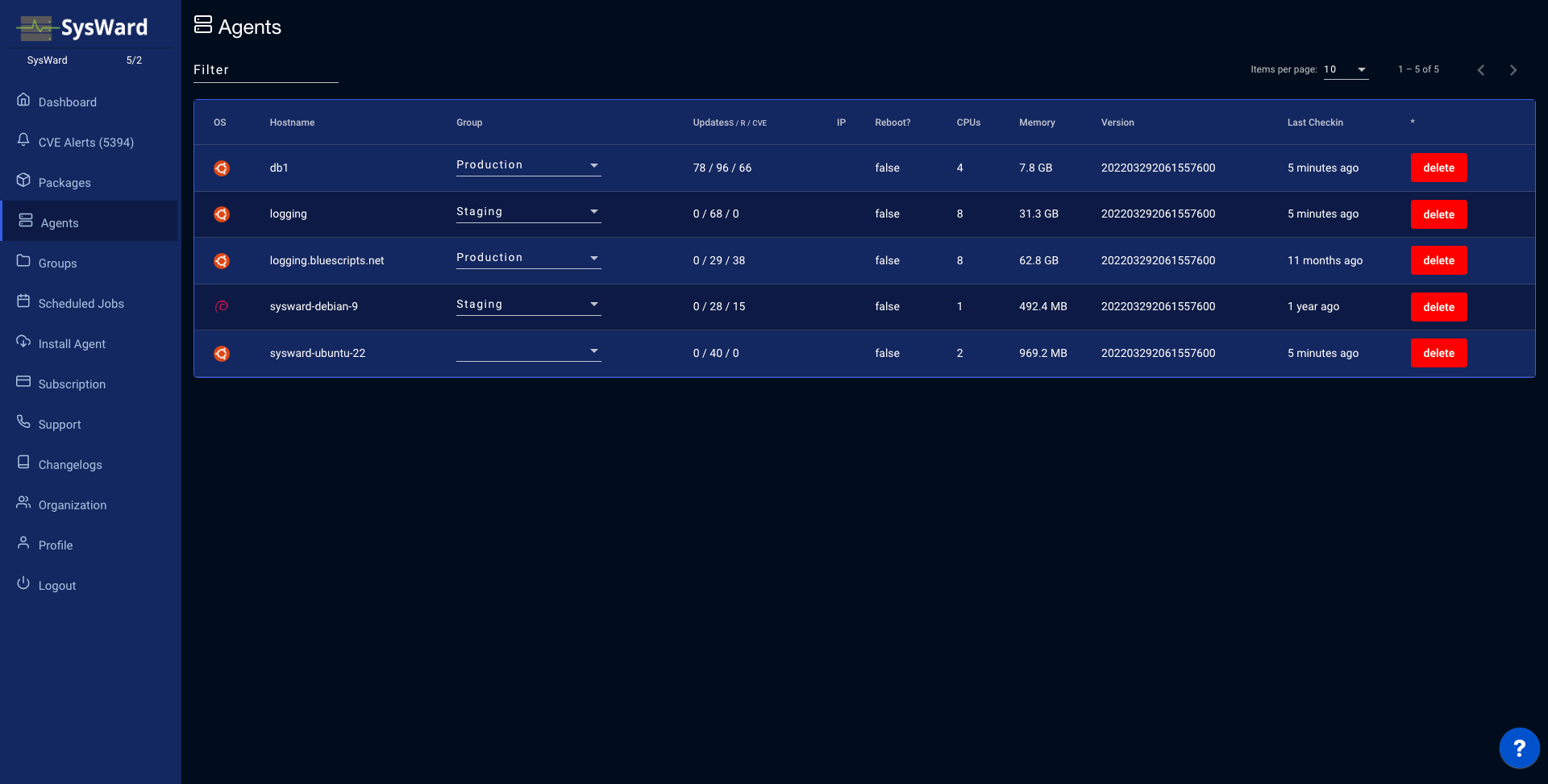
The Agents page lists every server reporting to SysWard. Filter to find a specific host, and see each one’s OS, hostname, group, update counts (security / regular / CVE), IP address, whether a reboot is required, CPU count, memory, agent version, and last check-in. Reassign a server’s group inline, or remove a host with the Delete action.
Agent details
Select a hostname to open its detail view, organized into tabs.
Details
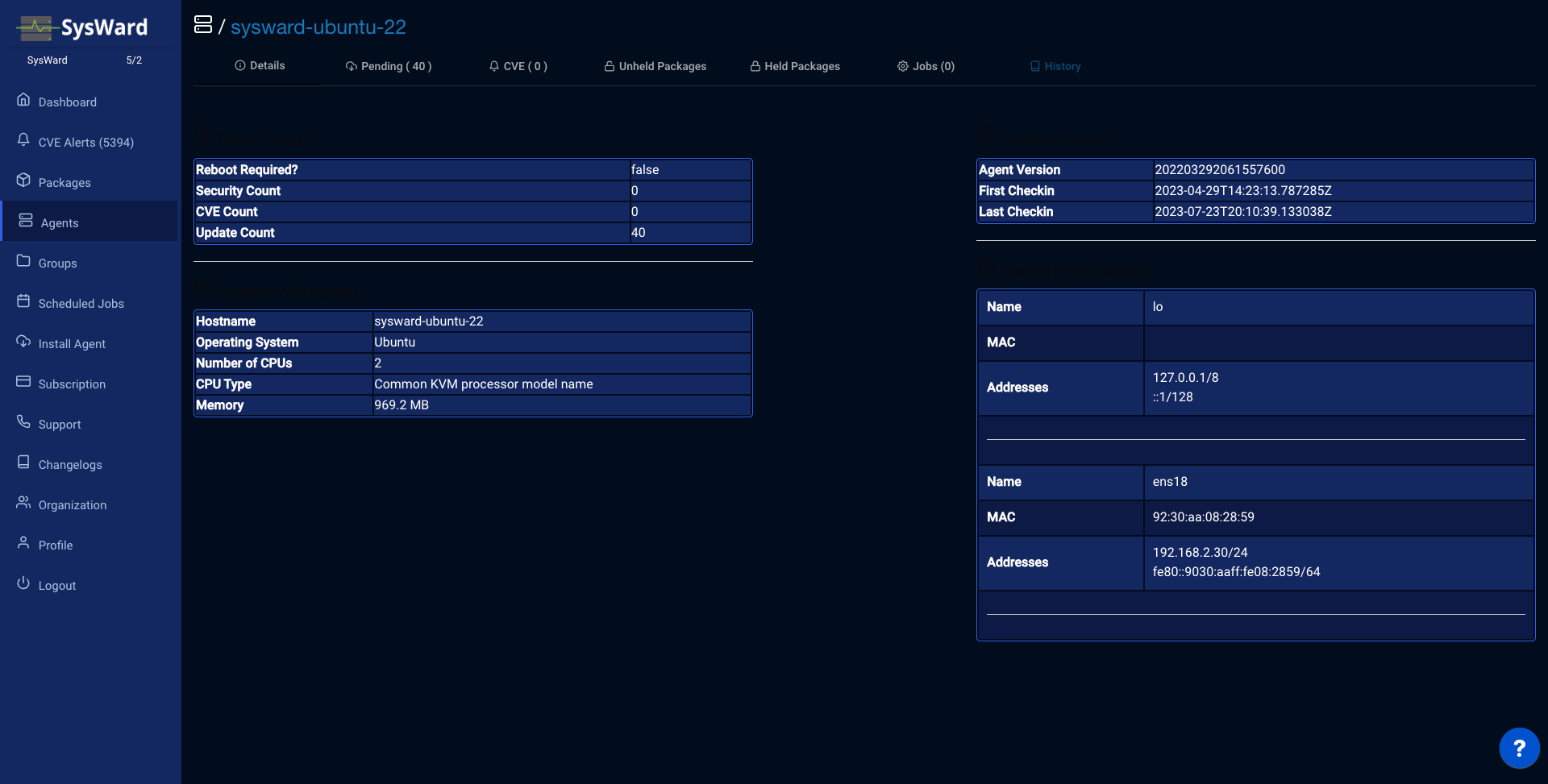
The Details tab summarizes the server: Patch Status, System Information, System Events, and Network Information (including its IP addresses).
Pending
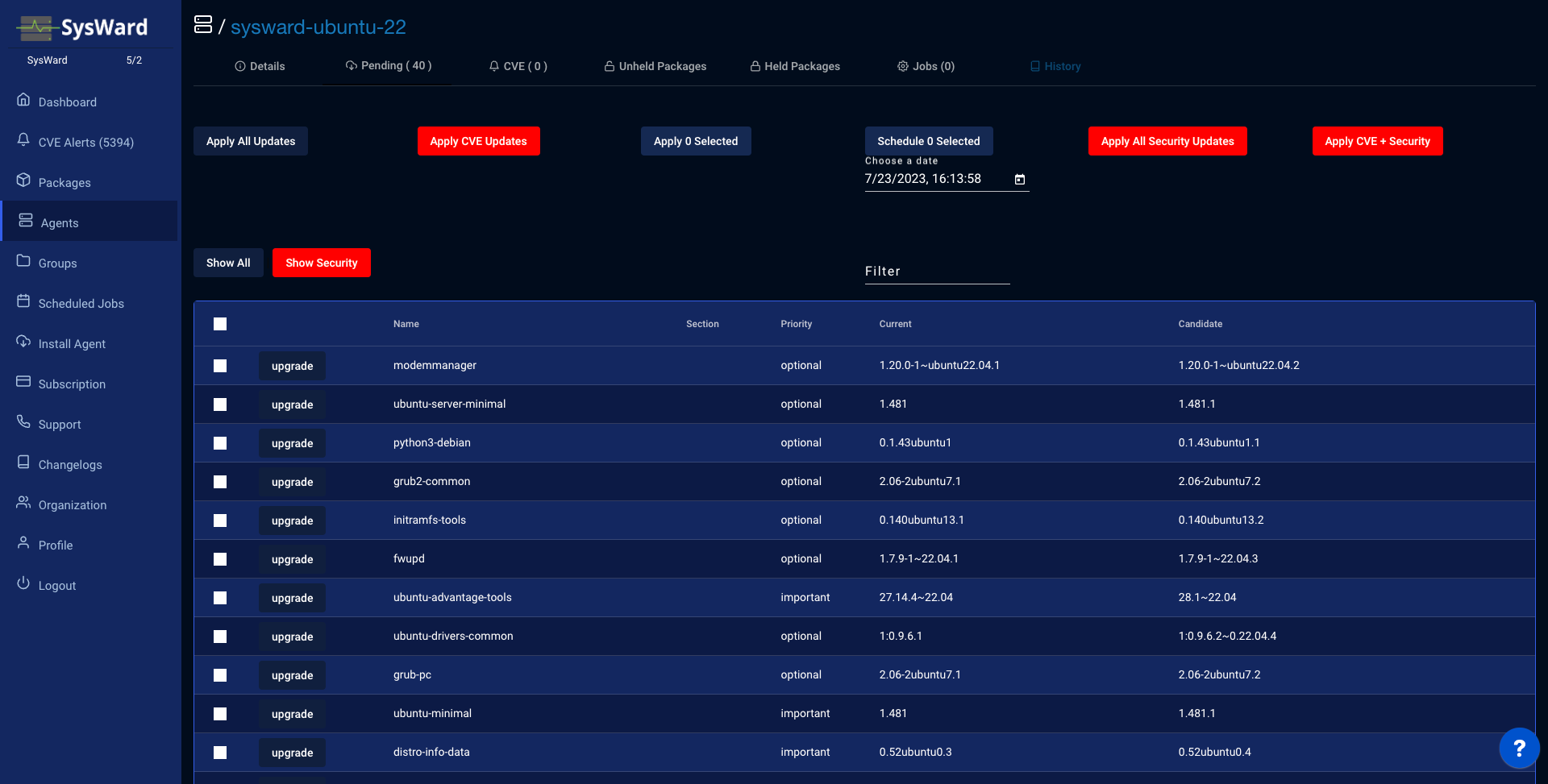
The Pending tab lists the package updates waiting on the server. From here you can:
- filter for a specific package,
- view candidate versions,
- apply a subset of patch types (Security, Regular, or All), and
- schedule specific packages to be upgraded.
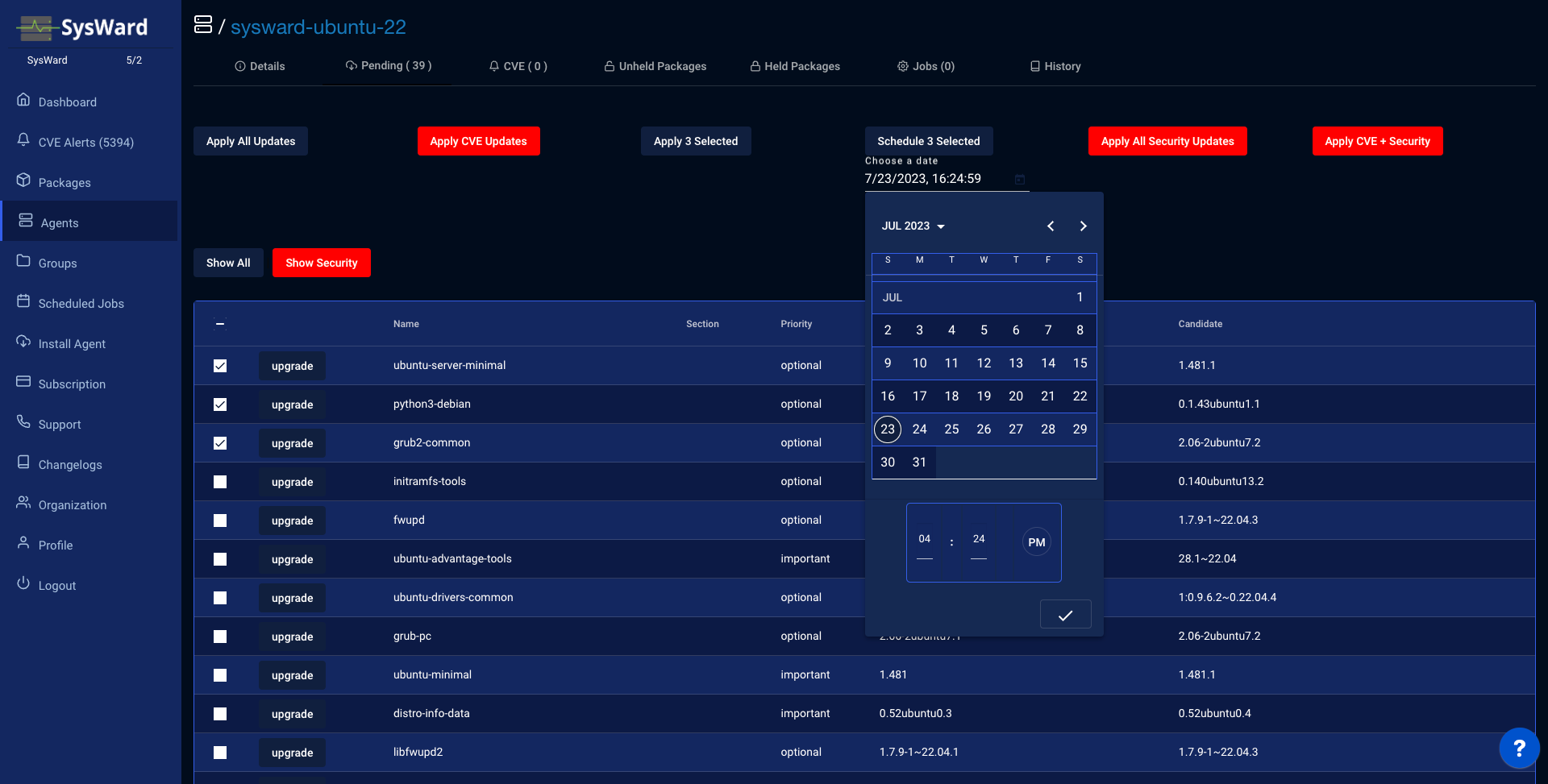
Pick a date and time to schedule the upgrade instead of running it immediately.
CVE
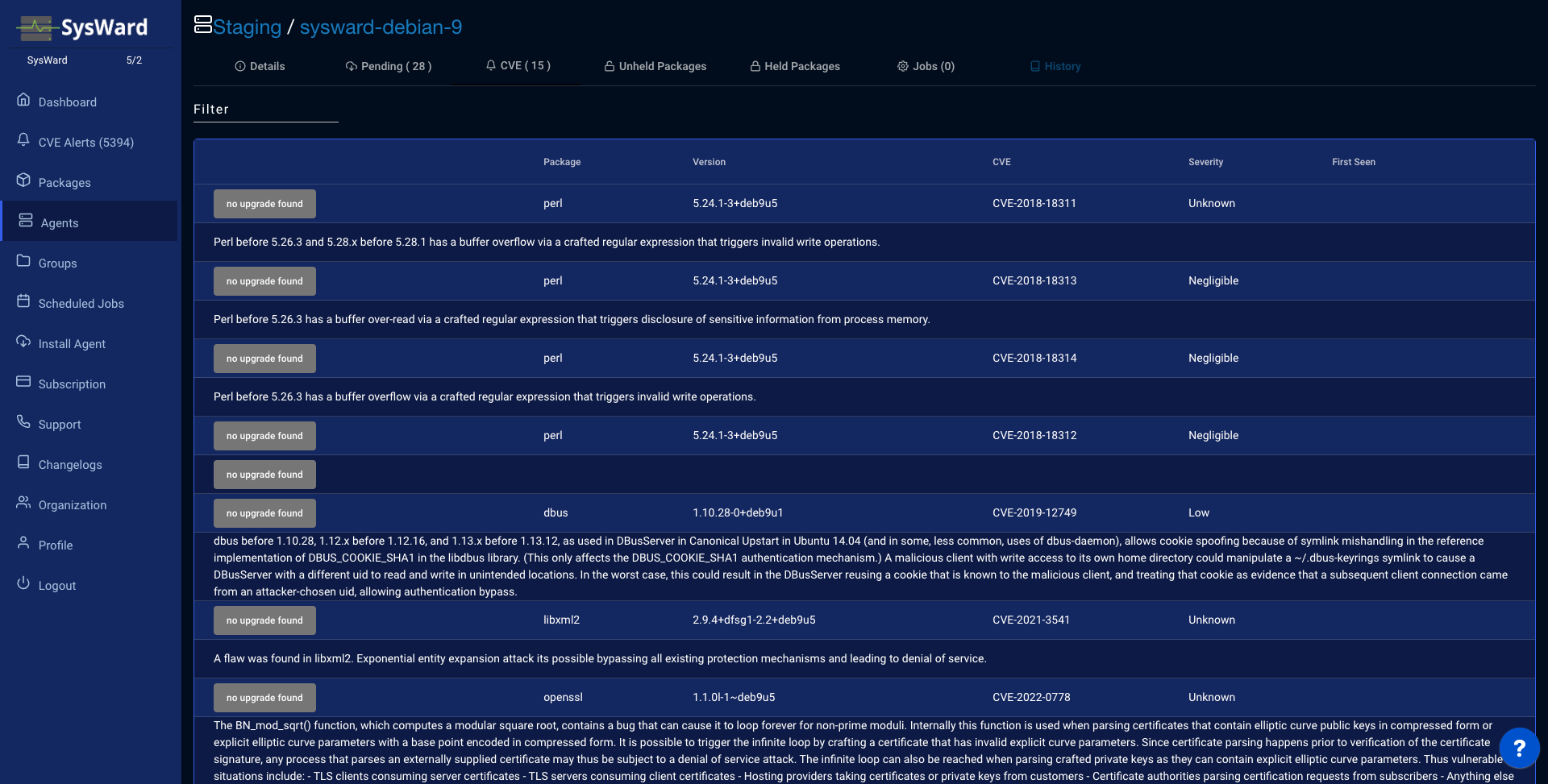
The CVE tab shows every vulnerability affecting this server. Where an upgrade is available for the affected package, you can apply it here. The CVEs page shows the same view across every server.
Held and unheld packages
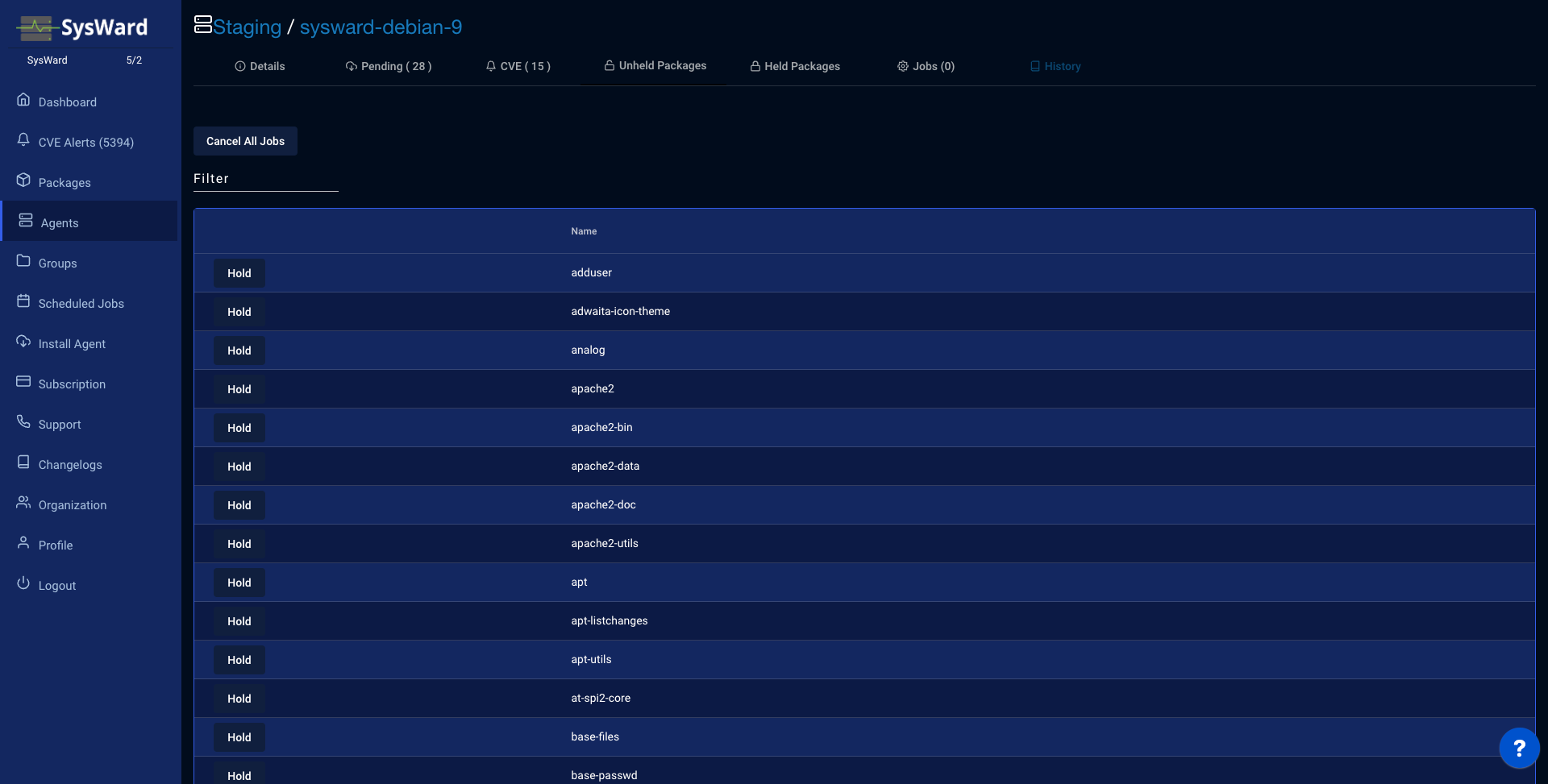
The Unheld Packages tab lists packages you can pin. Hold a package to prevent it from being upgraded.
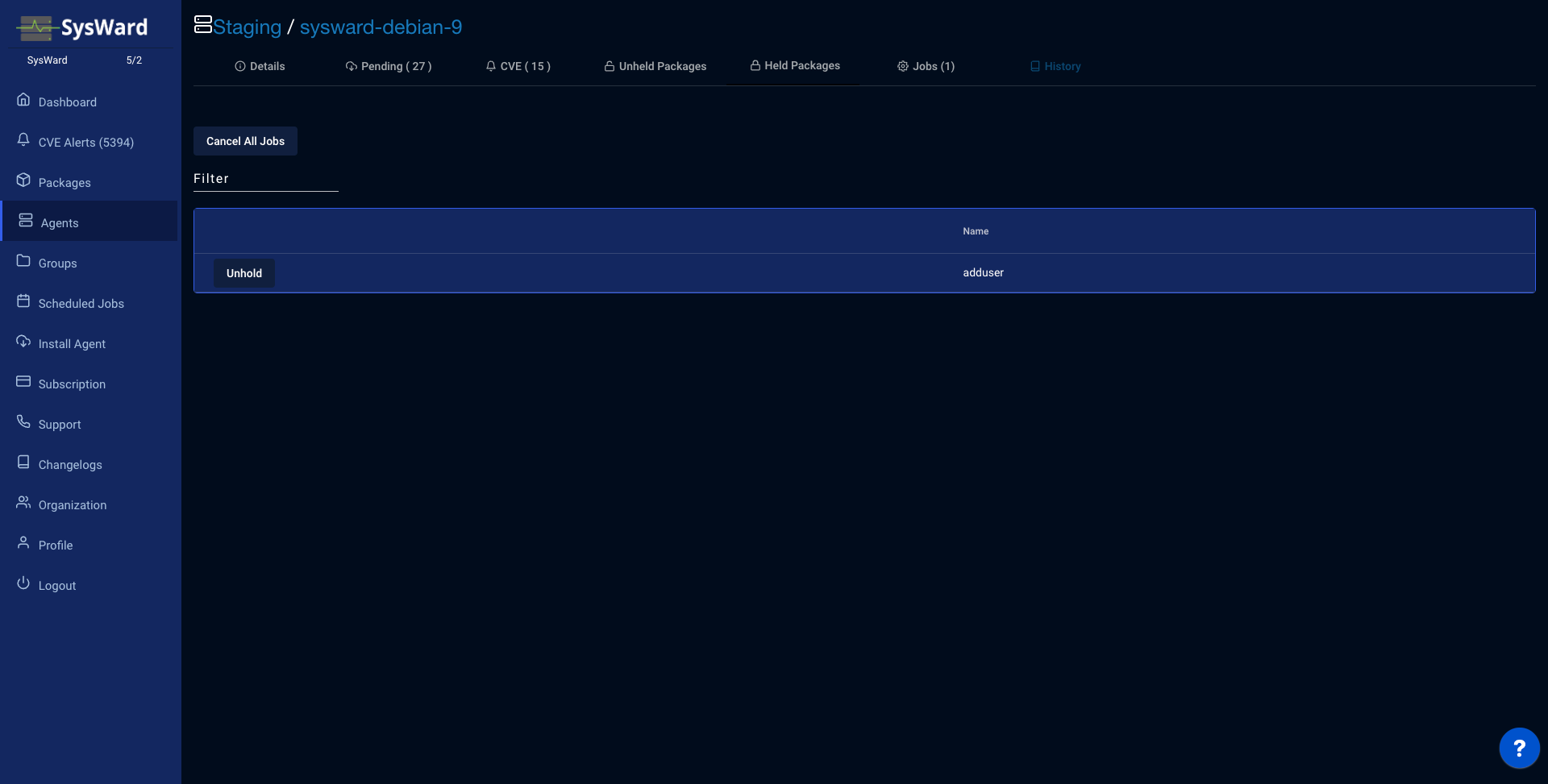
The Held Packages tab lists packages currently held. Release one to allow upgrades again.
Jobs
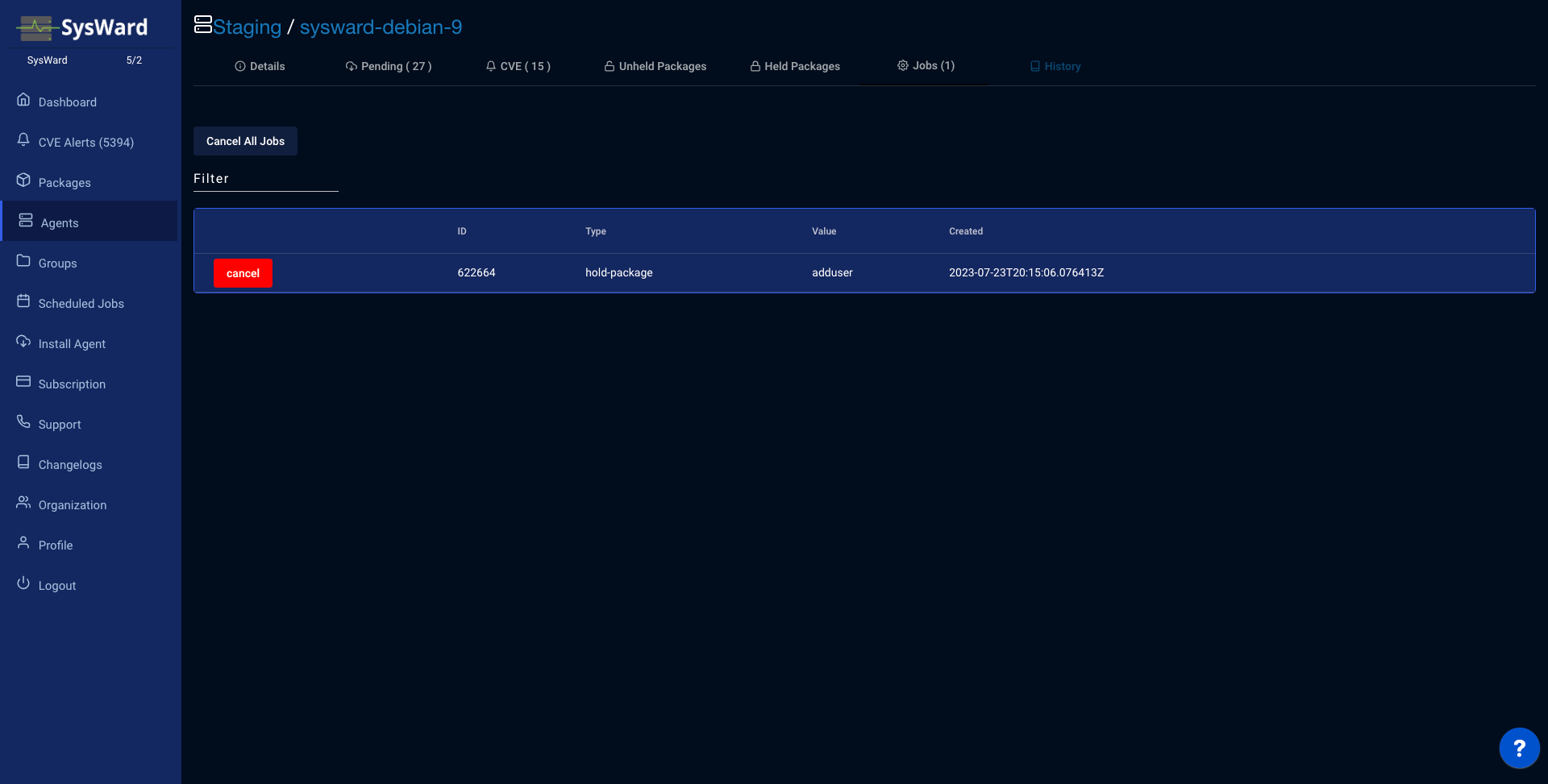
The Jobs tab shows jobs queued for this server. Scheduled an upgrade by mistake? Cancel it here before the agent runs it.
History
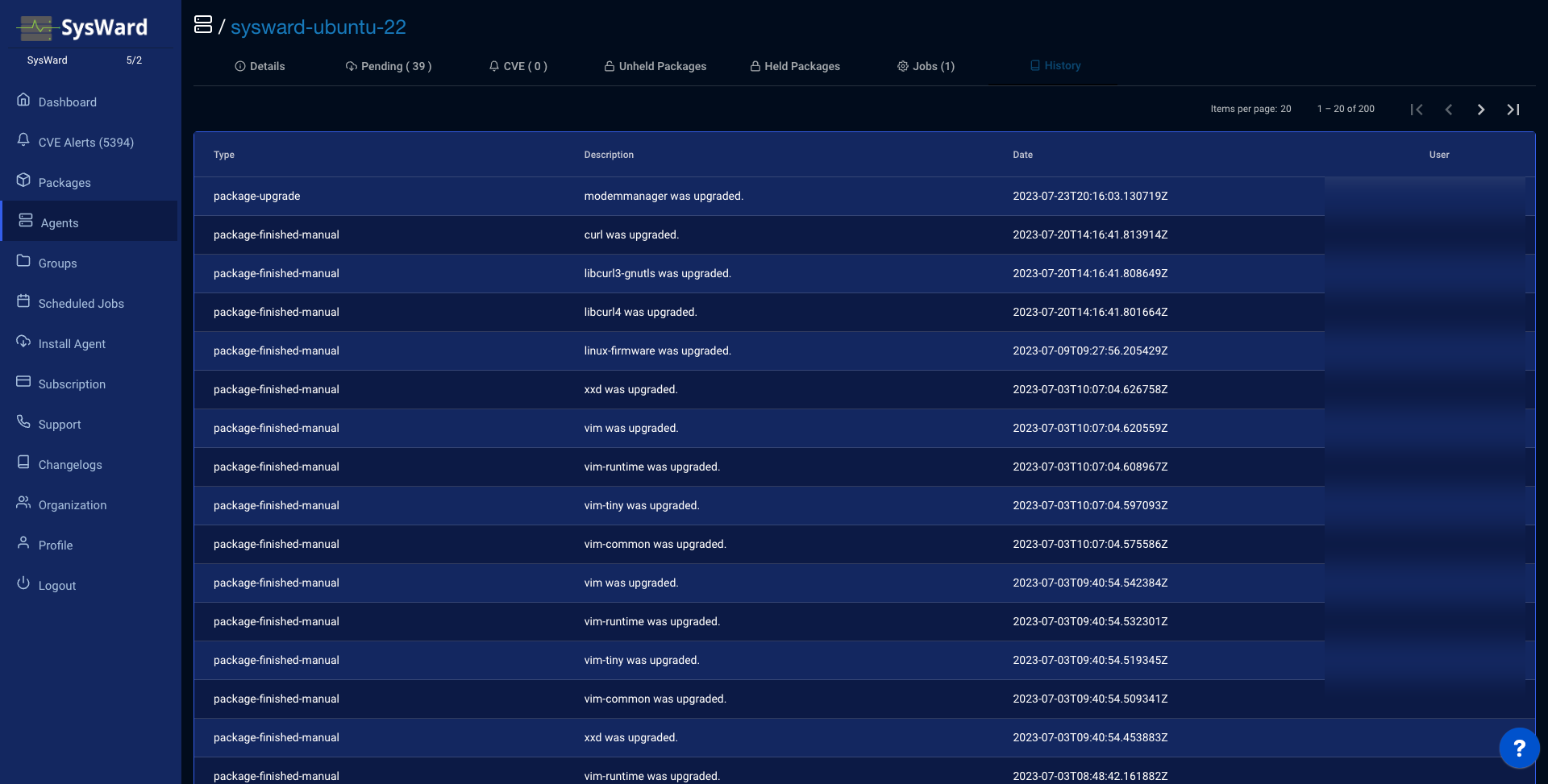
The History tab records the jobs that have run on the server, including which user performed each upgrade.
Change a server’s group
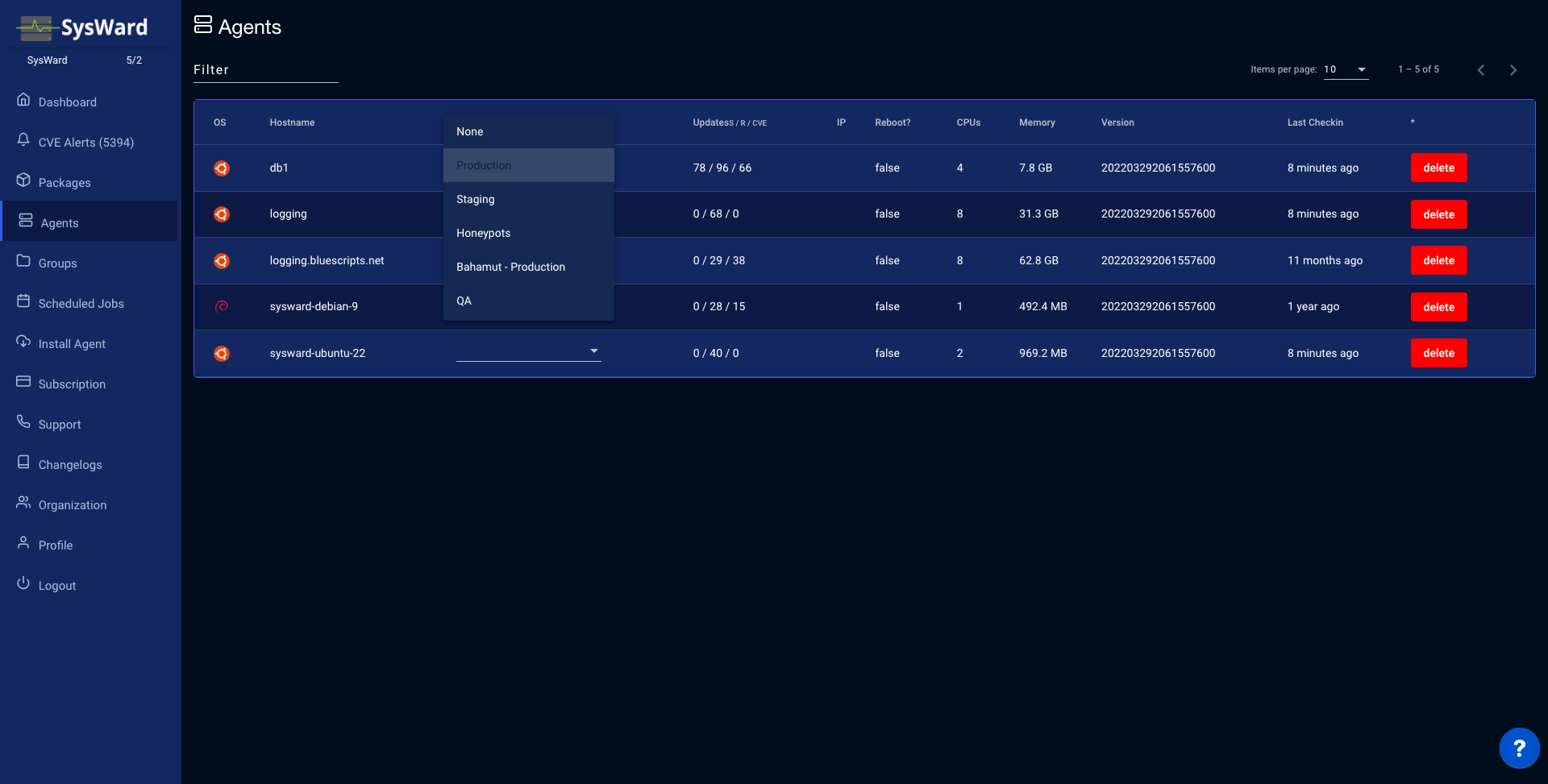
Click a server’s group name — on the Agents list or the dashboard — and pick a new group to reassign it.